Lodestone: Metal Detector EMF
Lodestone reads your phone's built-in magnetometer and turns raw magnetic data into something you can act on. No extra hardware. No account. Works offline.
About this project
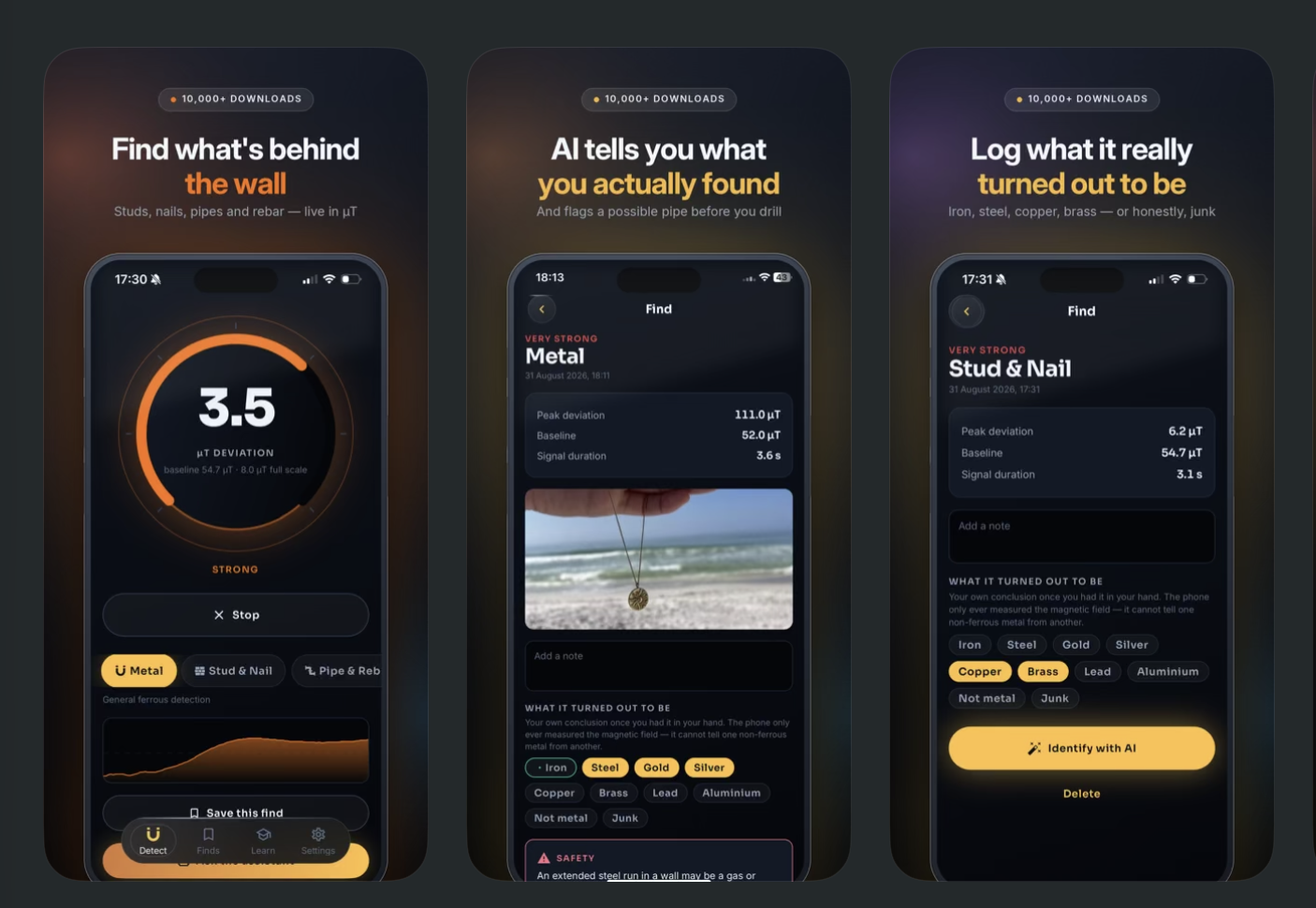
NEW: AI Identify tells you what your reading actually means — nail, pipe, rebar or conduit — before you drill. Free to try, no account needed. Now on iOS 18+. Turn your phone into a magnetic field scanner. Find the nail, the stud, the pipe behind the drywall — then ask AI what you're actually looking at. Lodestone reads your phone's built-in magnetometer and turns raw magnetic data into something you can act on. No extra hardware. No account. Works offline. WHAT IT FINDS - Nails and screws — locate the stud without guessing - Pipes, conduit and rebar behind walls, floors and concrete - Steel and iron objects at short range - Magnetic field anomalies and EMF hot spots - Magnetic north, with a built-in compass mode AI IDENTIFY — WHAT NOTHING ELSE DOES Every other detector app hands you a number and leaves you to guess. Lodestone sends the signal profile — peak strength, shape, duration — to an AI that tells you what it's likely reading, in plain language. "Sharp, narrow spike at 34 µT, consistent with a drywall nail. Sweep 16 inches left to confirm stud spacing." Add a photo and it reads that too. If a pattern looks like electrical conduit, it flags it before you put a drill through it. FIVE SCAN MODES Metal — general ferrous detection Stud & Nail — tuned tight for framing Pipe & Rebar — slower, for larger buried steel EMF — field anomalies and electrical noise Compass — heading from the same sensor BUILT FOR ACTUAL USE - Calibrates to your environment in 3 seconds - Audio tone, haptic pulse and visual gauge — use it without looking at the screen - Live 60-second signal graph so you can see where the peak was - Save finds with a note, photo and location - Daylight and red-only Night themes for sunlight and crawlspaces - Adjustable sensitivity and response HONEST ABOUT WHAT IT CAN'T DO Most apps in this category promise buried treasure. We won't. Your phone has a magnetometer, not a search coil. That means Lodestone detects iron, steel and magnets at close range — typically a few centimetres, further for large objects. It cannot reliably detect aluminium, copper, gold or silver, because those metals aren't magnetic. It is not a substitute for a professional cable locator, and it is not a safety device. Always confirm with a proper tool and check for utilities before you drill, cut or dig. If you want a treasure detector, buy a real one. If you want to find the stud, the nail, or the pipe in front of you — this is the sharpest tool on your phone. LODESTONE PRO - Unlimited AI identifications and AI Field Assistant - Unlimited saved finds, with CSV and JSON export - Custom sensitivity and response tuning - Full tutorial library - Daylight and Night themes Payment is charged to your Apple ID at confirmation of purchase. The subscription renews automatically unless auto-renew is turned off at least 24 hours before the end of the current period. Your account is charged for renewal within 24 hours before the period ends. Manage or cancel your subscription in your Apple ID account settings after purchase. If you buy a subscription during a free trial, the unused portion of that trial is forfeited PRIVACY: https://sites.google.com/view/lodestone-app/privacy TERMS: https://sites.google.com/view/lodestone-app/terms
What's included
- iOS Mobile app
- Source Code
What happens when you buy
- 1
You pay once
Card payment through Stripe. The project comes off the market the moment it clears — it is sold to one owner, not licensed to many.
- 2
The source downloads immediately
No waiting and no email needed. The complete archive is on this page the second the payment clears, and the link is emailed too so a closed tab costs you nothing.
- 3
You send us two Apple details
Your Apple Developer Team ID and the Apple ID that owns your developer account. A form appears here as soon as you have paid — it takes a minute.
- 4
We transfer the App Store listing
The live app moves into your Apple account, keeping its reviews, ratings, ranking history and everyone who already installed it. You publish the next update yourself.